Telli
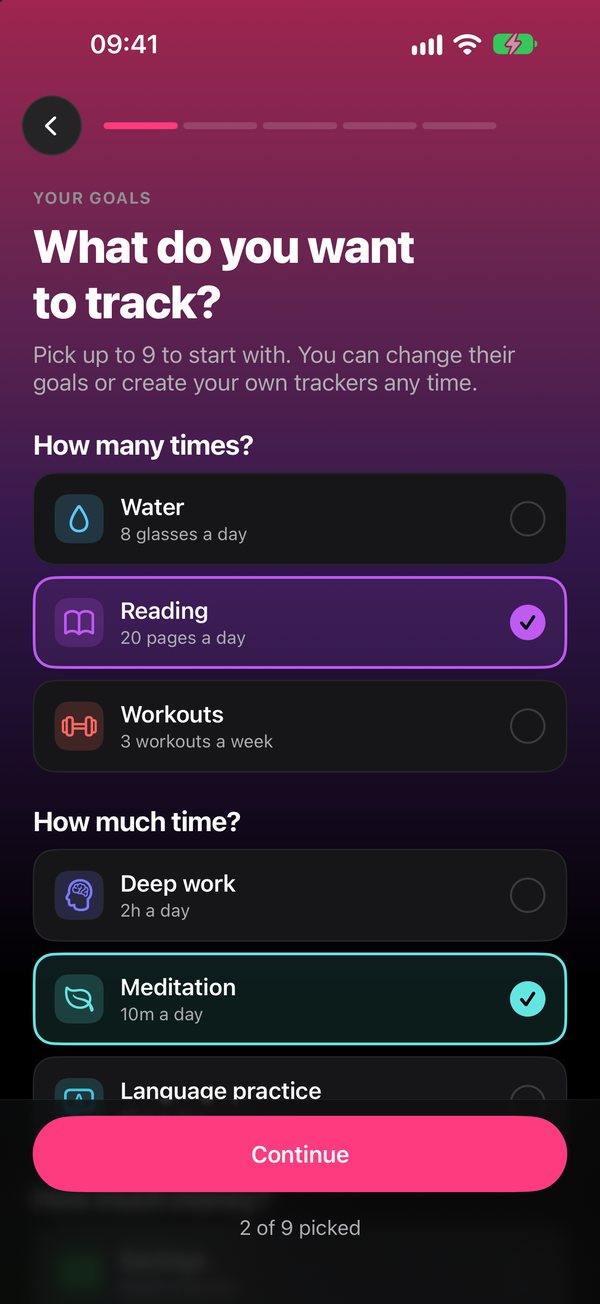
Make every day count. Telli keeps track of the small things that add up, and every tracker answers one simple question: how many times, how much time, or how much money?
Three questions
Every tracker answers one of them.01How many times?
Glasses of water, pages read, workouts, anything you do a number of times.
8 glasses a dayHow much time?
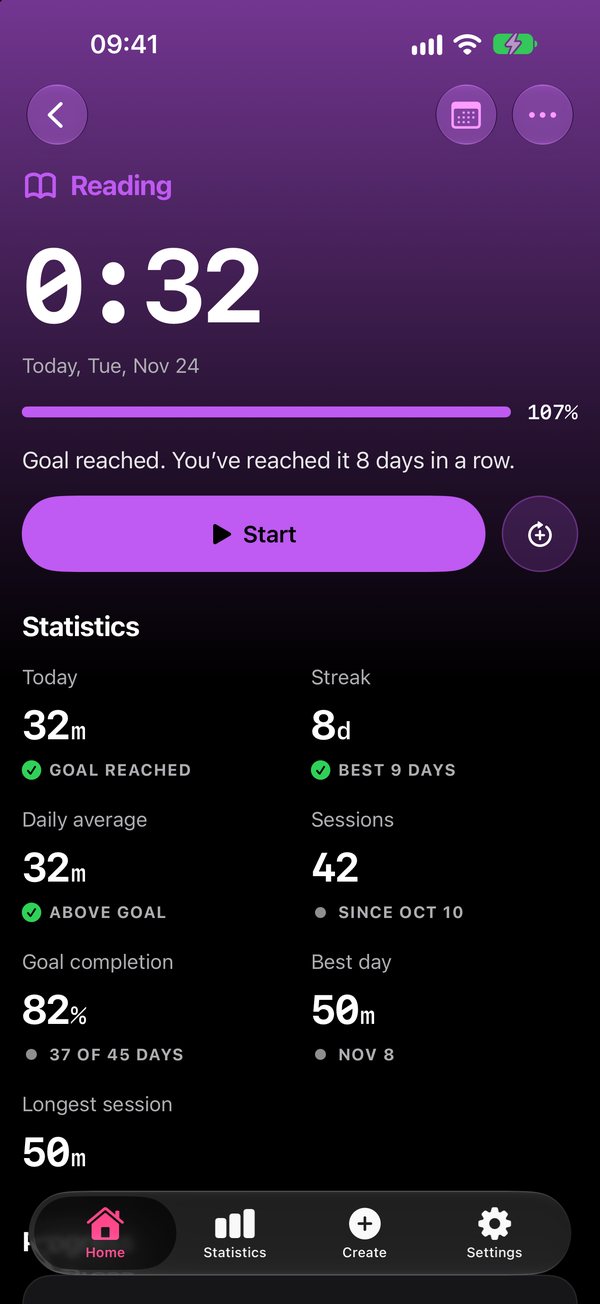
Reading, deep work, meditation, practice. Start the timer and Telli adds up the time for you.
30 minutes a dayHow much money?
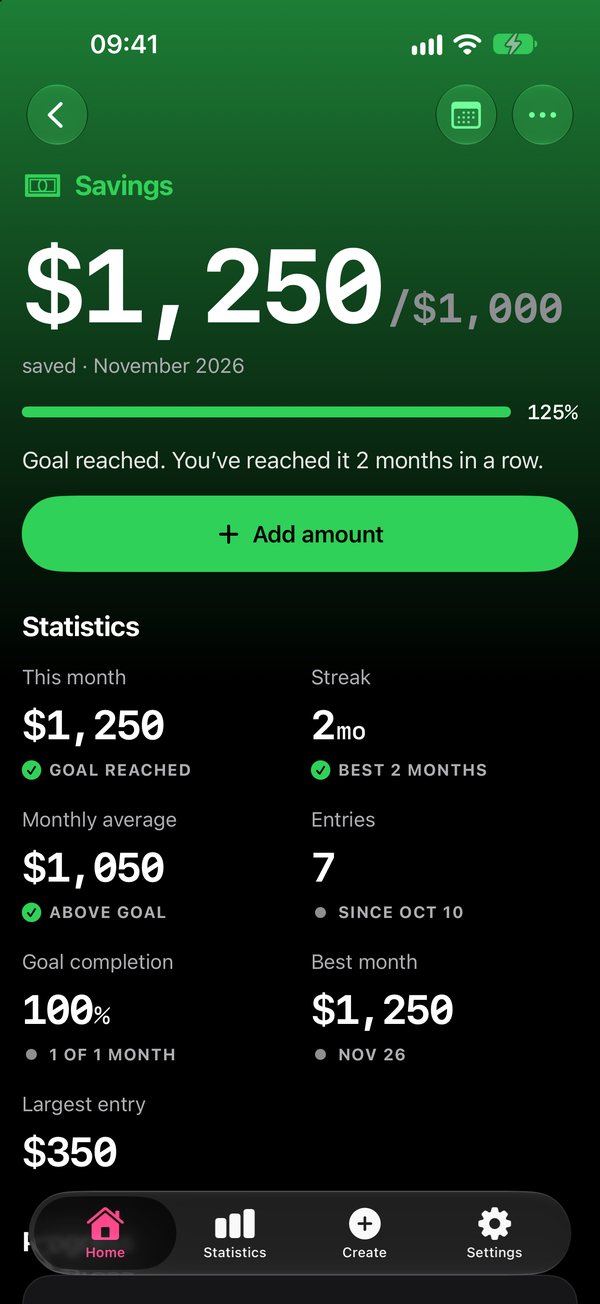
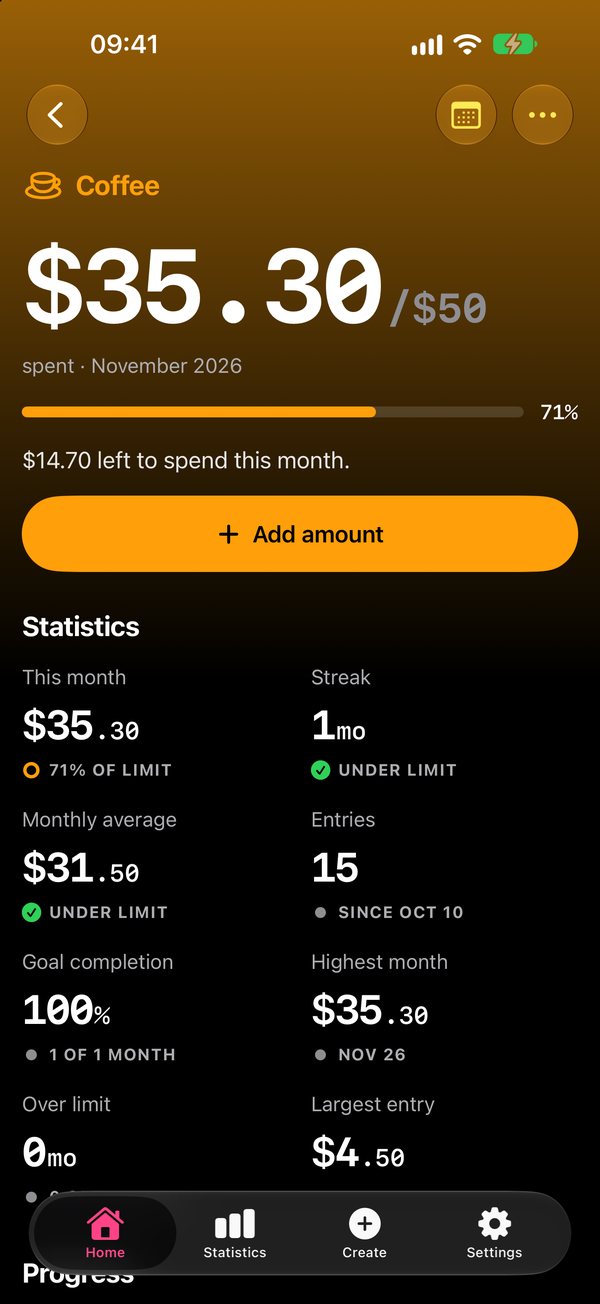
Save toward an amount, or stay under a spending limit for things like coffee or eating out.
Save $1,000 a monthOne app instead of a habit tracker, a time tracker and a savings app.
What it does
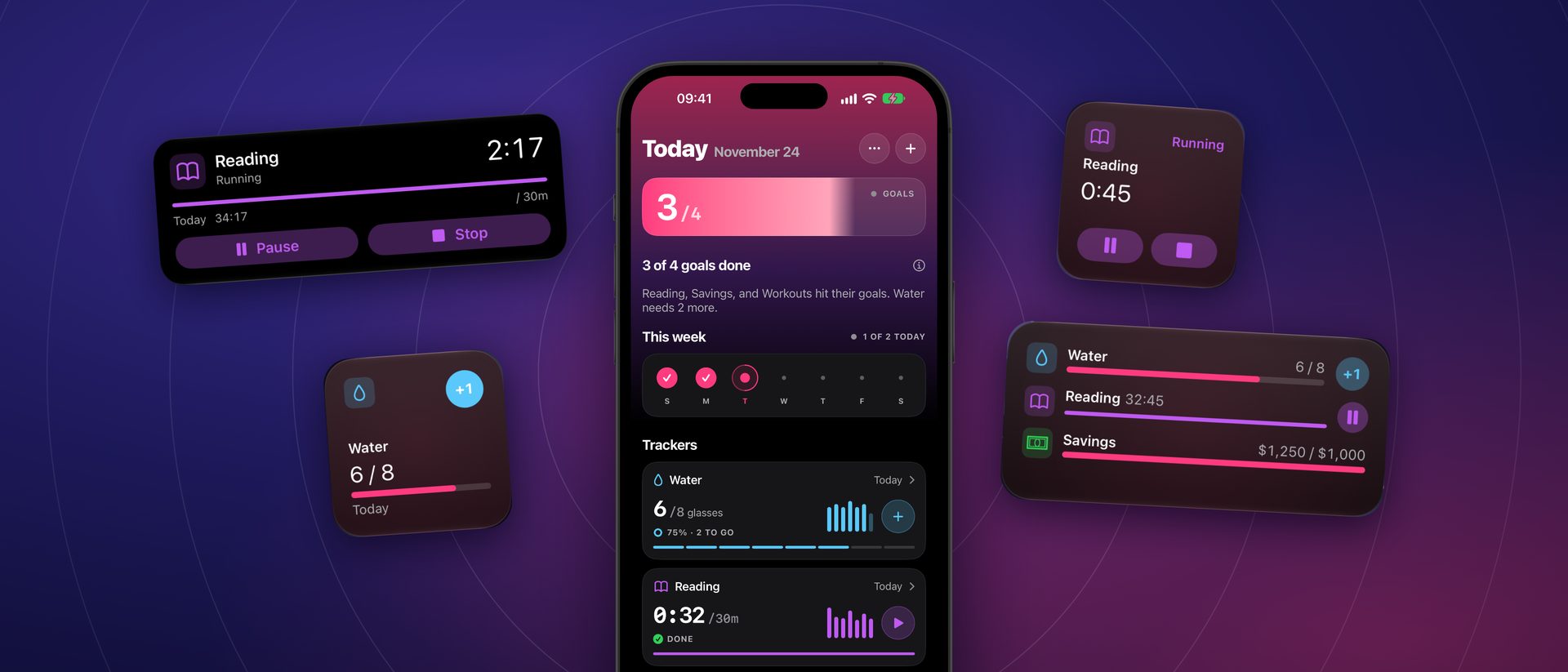
Simple on the surface, careful underneath.02- 01Log it in one tapTODAY, WIDGETS OR SHORTCUTSTap + on the Today screen and it counts. Need more detail? Add an entry with its own date and a note, and edit it later.
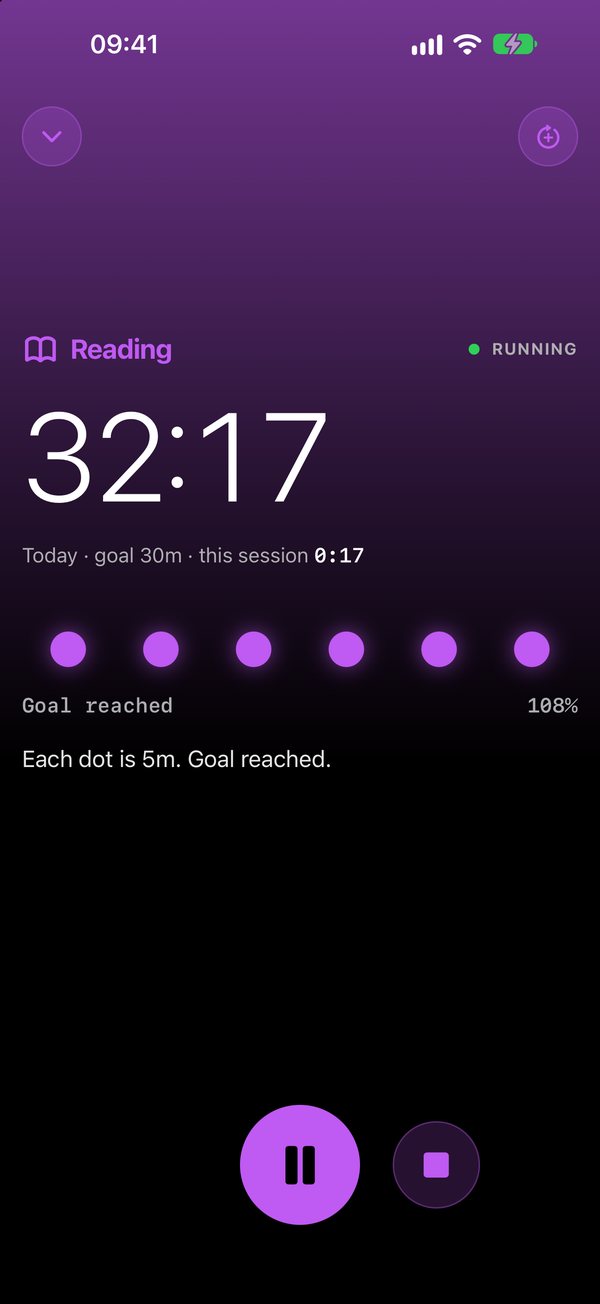
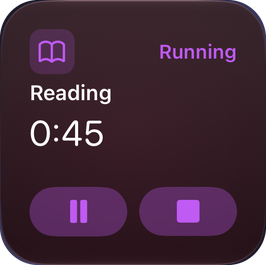
- 02A timer that keeps goingLIVE ACTIVITY AND DYNAMIC ISLANDStart, pause and stop. The timer keeps running when you leave the app, and shows on the Lock Screen and in the Dynamic Island with Pause and Stop buttons.
- 03Goals that fit your lifeGOALS AND LIMITSGive each tracker its own goal and period: daily, weekly, monthly, yearly or all time. Set a goal to reach, or a limit to stay under, and add a start and end date for a 30-day challenge.
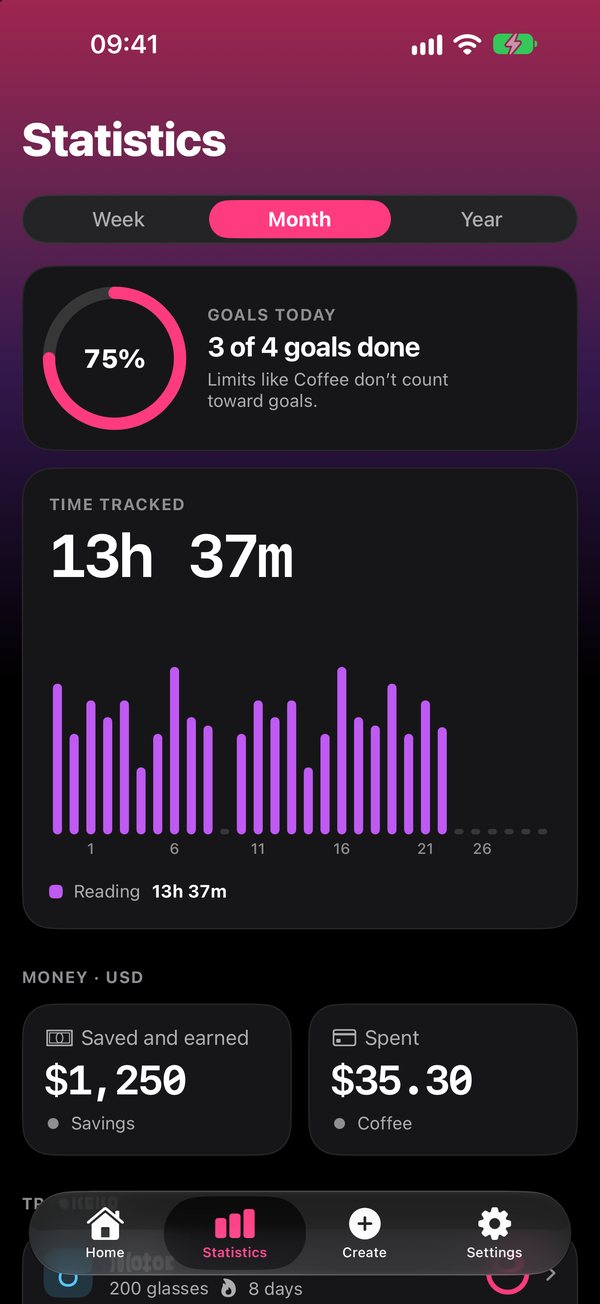
- 04Today at a glance3 OF 4 GOALS DONESee how many goals you have reached today, how your week is going, and where every tracker stands.
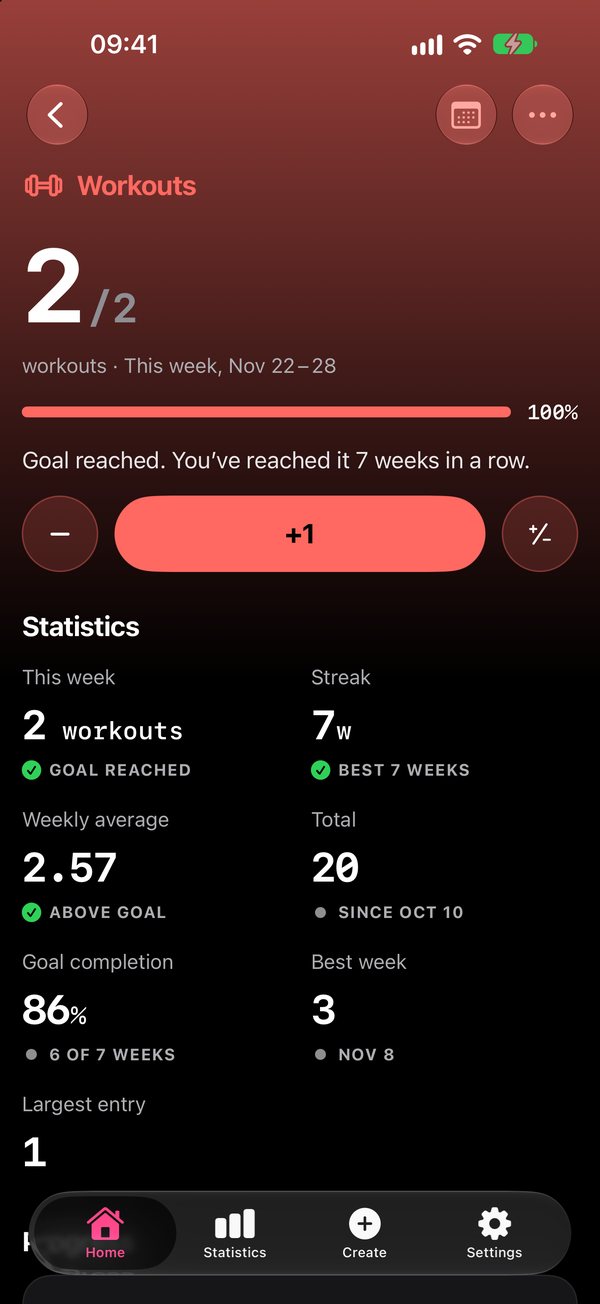
- 05See your progressCHARTS, STREAKS, TOTALSCharts for the week, month and year, streaks, averages and totals for every tracker, plus time tracked and money saved or spent across all of them.
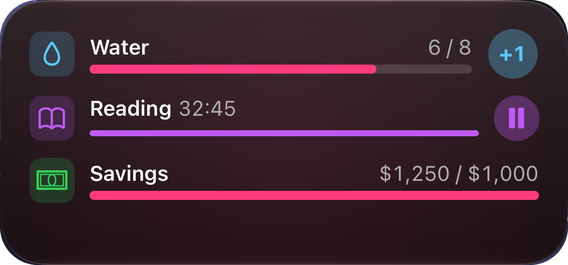
- 06Widgets for everythingHOME SCREEN AND LOCK SCREENAdd one with a tap on a Home Screen widget, control the timer without opening the app, see several trackers at once, and put a tracker on the Lock Screen.
- 07A gentle nudgeREMINDERSEach goal can send one daily reminder, and only while you have not reached it yet.
- 08Yours, and privateICLOUD SYNC, NO SIGN-UPNo account to create. Your trackers stay on your iPhone and sync through your own private iCloud.
Every screen
Every screen below is the real app.03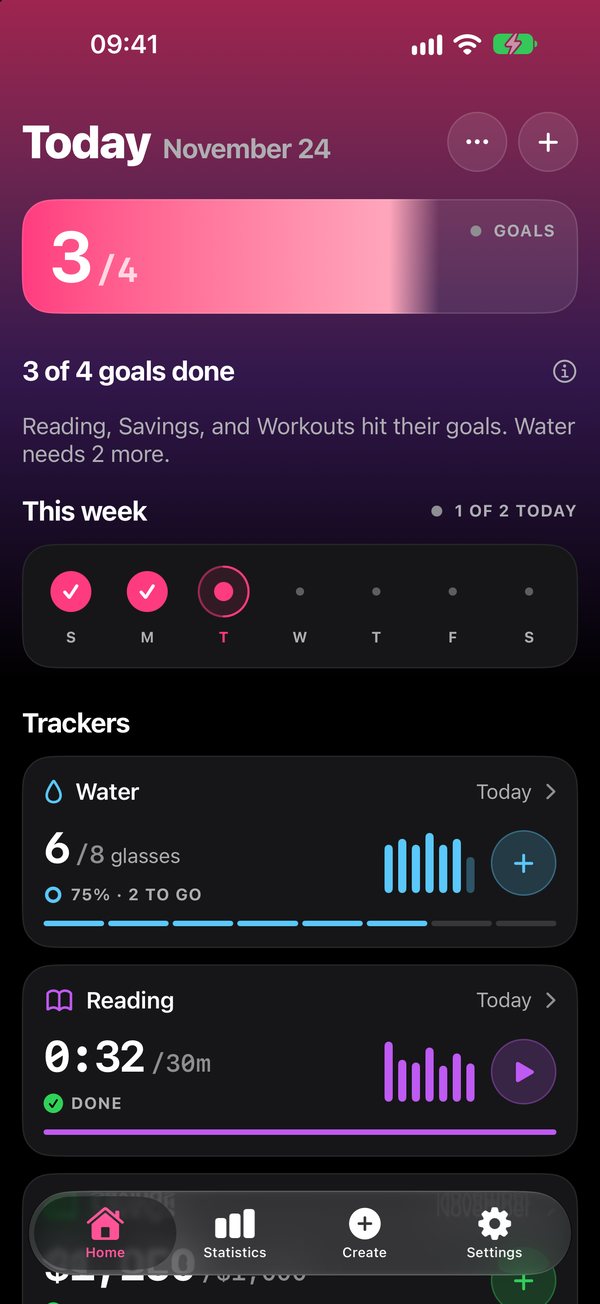
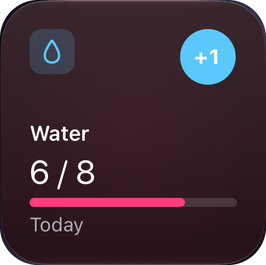
Widgets and Live Activity
Log and time things without opening the app.04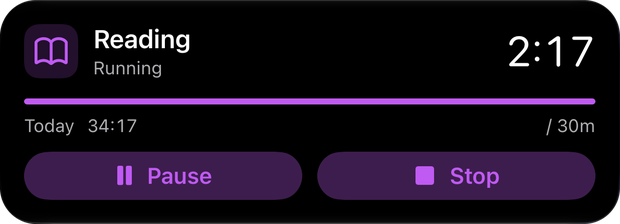
Free and Premium
Free to start. Apple handles the billing.05Free
Everything you need to start
- Up to 3 active trackers
- One-tap logging and entries with notes
- The focus timer and its Live Activity
- Week statistics, streaks and totals
- Tracker, Timer and Lock Screen widgets
- Daily reminders and iCloud sync
Telli Premium
EVERYTHING, UNLIMITEDEverything in Free, plus
- Unlimited trackers
- Month and year statistics
- Year and all-time charts for every tracker
- Extra details like goal completion rate, best period and longest session
- The Overview widget, in medium and large
Every plan unlocks the same features. Prices are shown in the App Store in your currency. Billing and refunds are handled by Apple through the App Store.
Questions
Answered.06Is Telli free?
Yes. Telli is free to download and use with up to 3 active trackers, the focus timer, the Live Activity, reminders and the small widgets. Telli Premium adds unlimited trackers, month and year statistics, full history and the Overview widget.
Do I need an account?
No. There is nothing to sign up for. Telli works the moment you open it and syncs through your own private iCloud.
Does it connect to my bank?
No. You enter amounts yourself, which is the point: a simple savings goal or spending limit without handing over your bank details.
Which devices does it run on?
iPhone with iOS 26 or later, including iPhone Duo, where the open inner display shows Today next to Statistics or Settings. There is no iPad, Apple Watch or Android version today.
Does it work with Apple Health?
Not today. Telli keeps its own entries, so you can track things Health does not know about, like coffee spending or pages read.
Which languages does it speak?
English, German, French, Spanish and Simplified Chinese.
How do subscriptions and refunds work?
Apple handles billing and refunds through the App Store. Subscriptions renew automatically unless you cancel at least 24 hours before the end of the current period, and you can manage or cancel them anytime in your App Store account settings.
Make every day count.
Count it, time it or add it up. Telli turns the small things you do into goals and lets you watch your progress grow.